

Approvals by clear rules, not by phone calls
Decide who approves what. Requests reach the right person as a notification, and every decision is recorded.

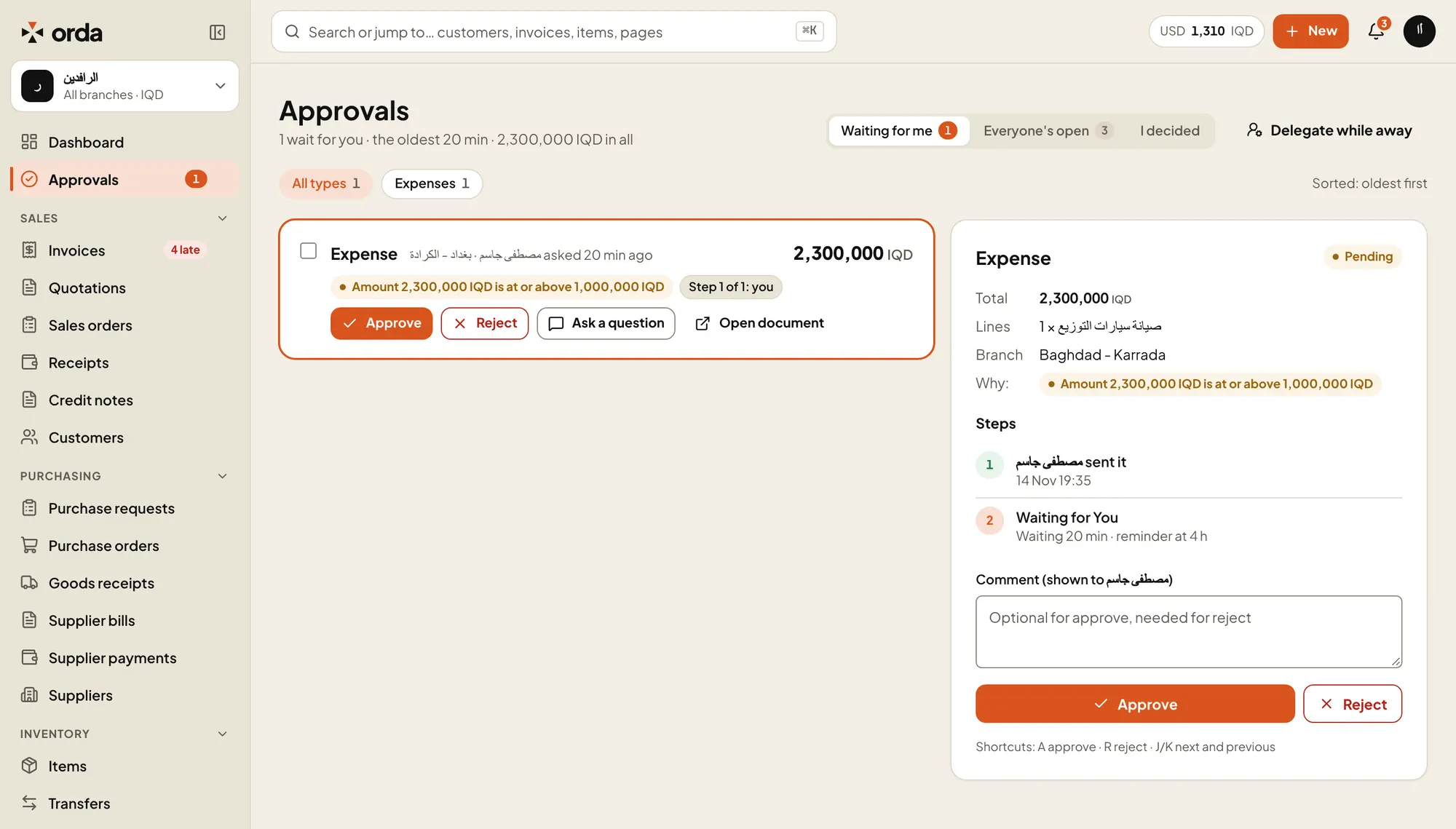
Why it needs approvalThe rule that matched, in plain words.StepsWho sent it, who decides next, and when the reminder goes out.Delegate while awayHand your approvals to a colleague for a set period.
What happens to a request
Someone creates a document
An invoice, purchase request, expense or any other document.
A rule matches it
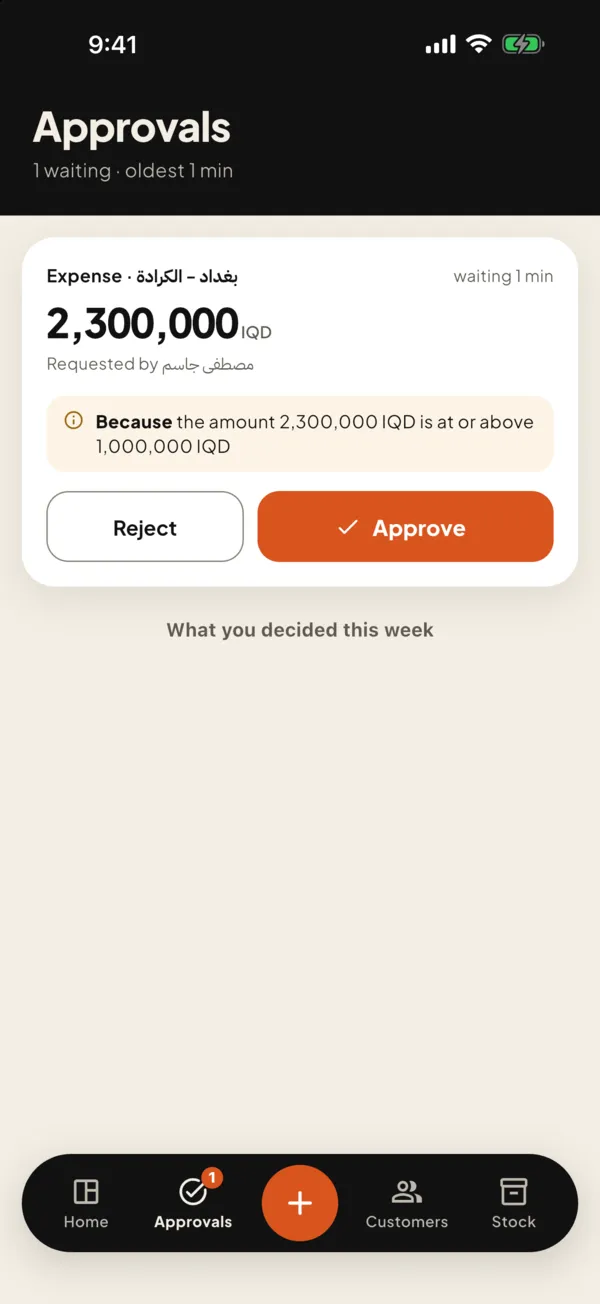
For example: an expense over 1,000,000 IQD at the Erbil branch needs the branch manager, then the owner.
The approver is notified
A notification reaches their phone and the web inbox.
Approve, or reject with a comment
A rejected document returns to draft with the comment. After the last approval it posts.
Rules that fit your company
- What a rule looks at
- Document type, branch and amount in your base currency.
- Built-in checks
- Invoices over the customer’s credit limit, discounts over the role’s maximum, and supplier bills priced above the order.
- Several steps
- Each step is a role or named people, and needs any one of them or all of them.
Nothing waits forever
- Reminders and escalation
- A reminder after a set number of hours, then the request moves up to the owners.
- Delegation
- Going away? Hand your approvals to a colleague for a set period.
- No empty steps
- If no one holds a step’s role, it goes to the owner. The same person never approves one document twice.
Safe on the phone
- PIN above a limit
- Approving above an amount you choose needs the approval PIN. On the phone, a fingerprint or face can stand in for it.
- A full trail
- Who approved, when and from where is kept in the document’s history and the audit log.
Try Orda with your own numbers
14 days free with every feature. No payment details needed to start.